How to Unlock Wristo Watch Faces for Users Who Have Already Purchased the Whole Plan

Tips and Tricks
This guide explains how users who have already purchased the Whole plan can easily unlock any Wristo watch face without repurchasing. Follow a few quick steps to enter your activation code, select “Already Purchased,” and link your Garmin device to your account in minutes.
1. Open the Wristo Watch Face on Your Watch
Open the newly installed Wristo watch face on your Garmin device.
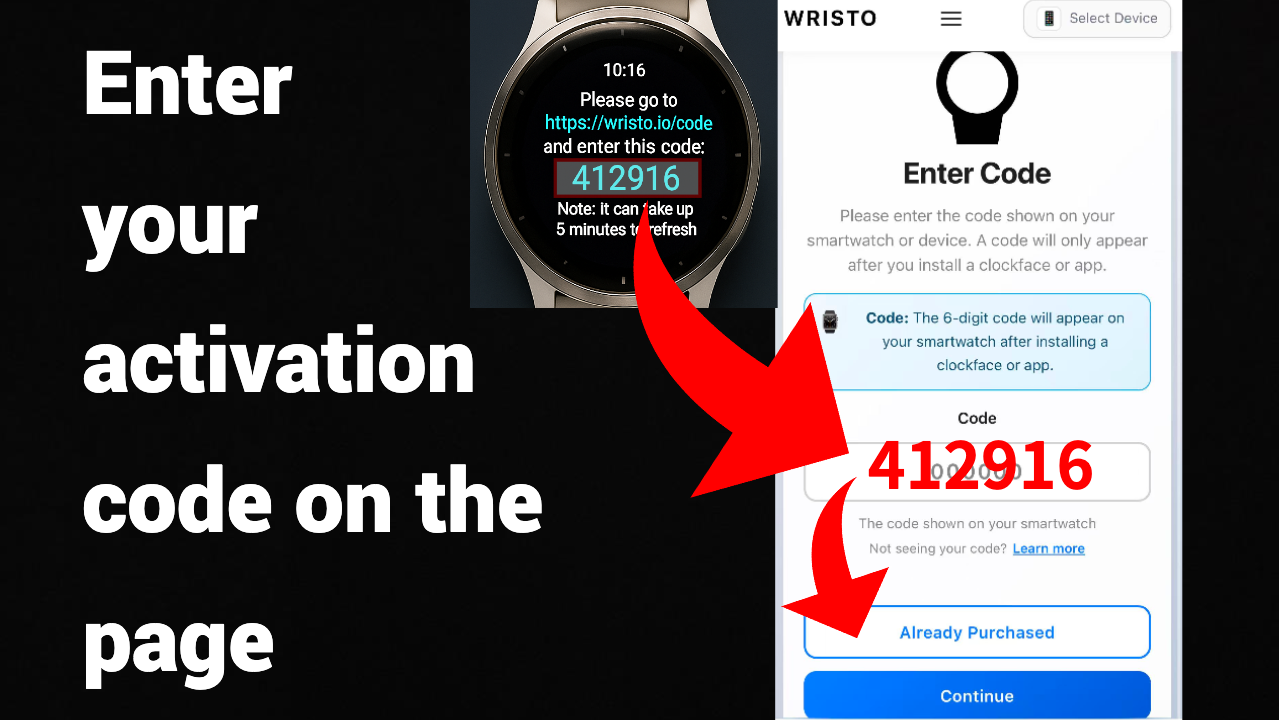
The screen will display a six-digit activation code (for example: 412916).
2. Visit the Activation Page
On your computer or mobile browser, go to 👉 https://wristo.io/code
This will open the Wristo activation page.
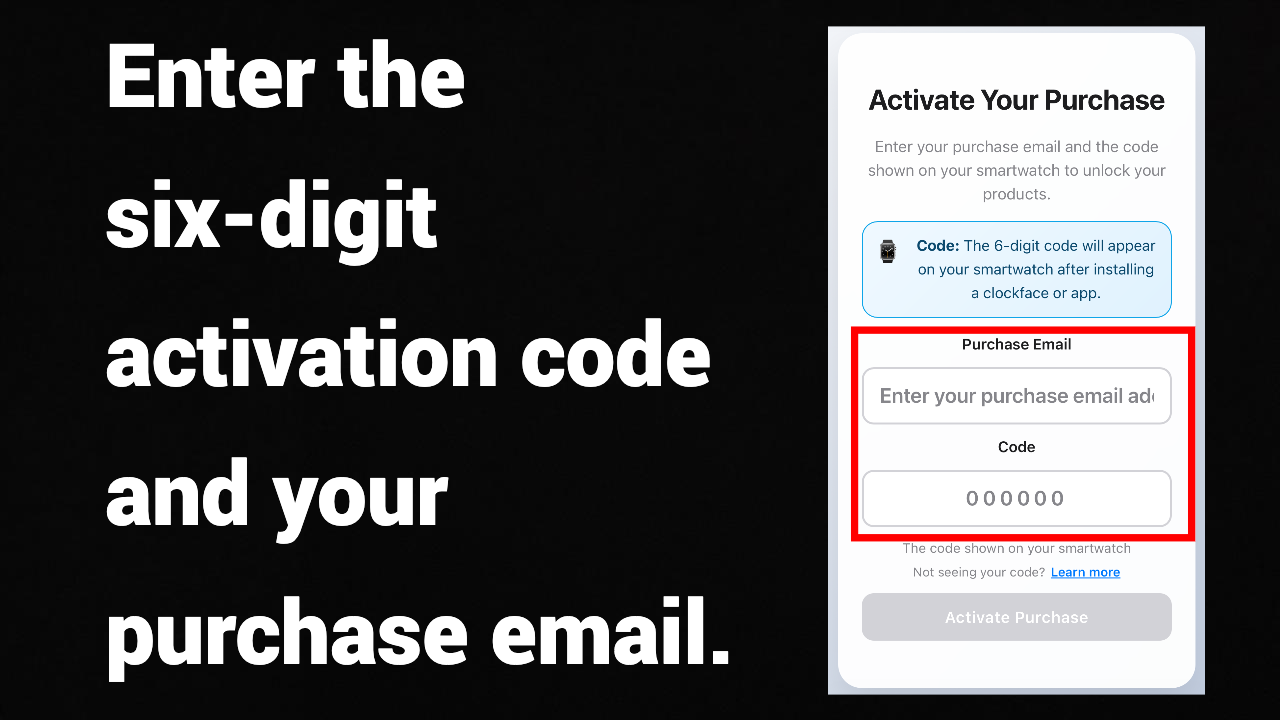
Enter the six-digit activation code and click 'Already Purchased'.
3. Enter Your Purchase Email
In the “Purchase Email” field, enter the email address you used to purchase your Wristo watch face or Whole plan.
⚠️ You must use the same email as your payment email; otherwise, your purchase record cannot be verified.
4. Enter the Activation Code
In the “Code” field, enter the six-digit activation code displayed on your watch.
5. Click the “Activate Purchase” Button
After clicking the button, the system will automatically verify your email and activation code.
- If the verification is successful, you’ll see the message “Activation Successful.”
- The watch face will refresh automatically and unlock all features within 1–5 minutes.